Best Password Manager in 2026, According to Reddit
By Unes (@unespc) · · 6 min read
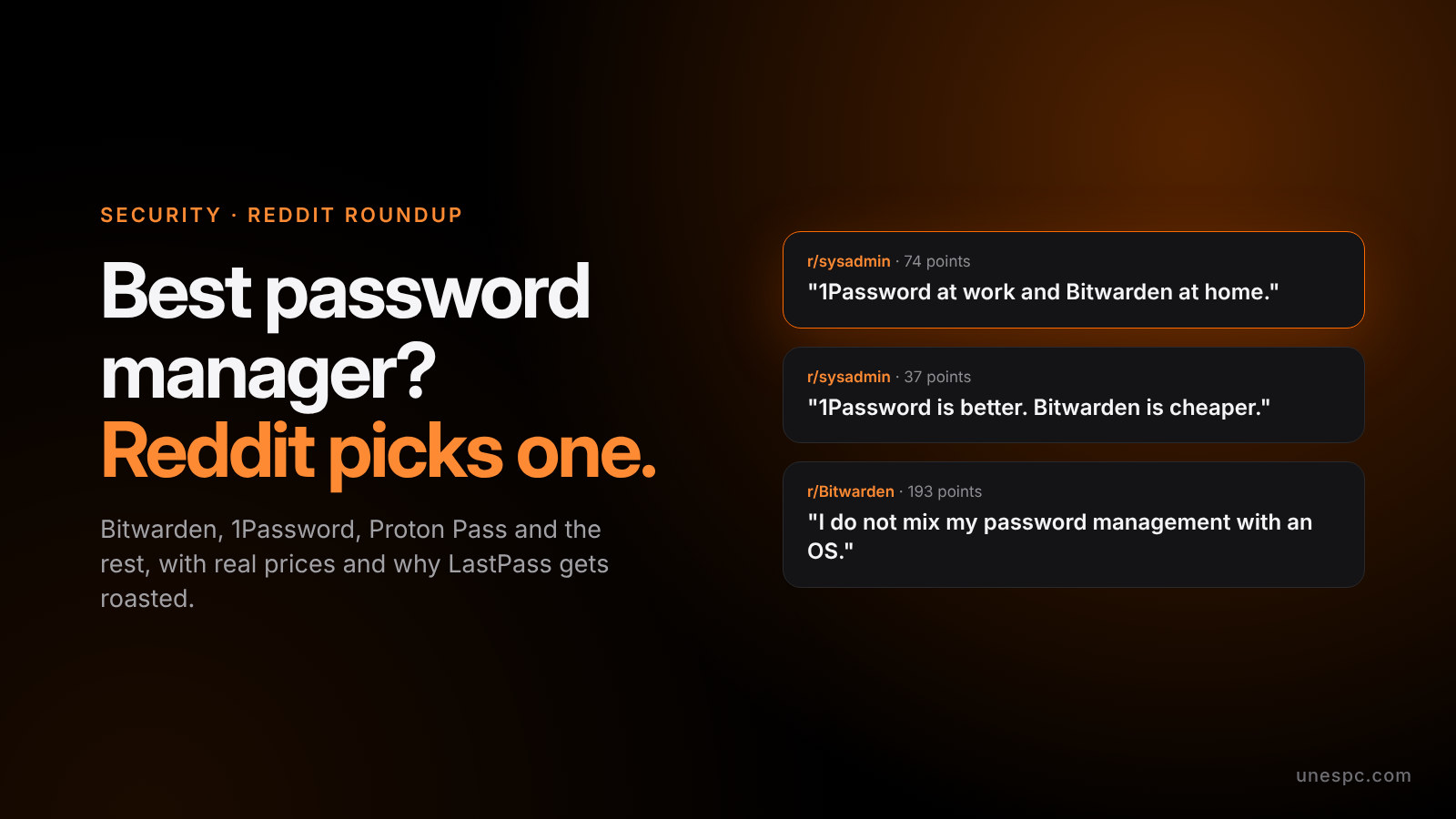
Reddit's answer to "what's the best password manager" is Bitwarden, and it's not especially close. It's free, it works on everything, and it's open source, so it comes up first in almost every thread I read. The main exception is 1Password, which a lot of people say is nicer to use if you're happy to pay, and Proton Pass is the one gaining ground fastest in 2026.
And the one app Reddit tells everyone to get away from is LastPass.
What is the best password manager, according to Reddit?
Bitwarden, by a mile. In an r/privacy thread where someone asked where to store their passwords, the top reply (245 points) just links Bitwarden, and the next two replies (51 and 49 points) say the same thing. In a newer r/privacy thread from April 2026, the top reply (70 points) is someone who's used Bitwarden "for years now" and loves it.
The reasons repeat in basically every thread: it has a real free plan, it's open source, and it runs on every platform. One reply in an r/privacy thread comparing 1Password and Proton Pass (25 points) says paying for a password manager at all "seems bonkers" when Bitwarden is free and open source.
What does Reddit actually recommend?
Here's every app that kept coming up, with prices from each company's own site (checked November 25, 2026).
| Pick | What Redditors like | Price | Reddit's catch |
|---|---|---|---|
| Bitwarden | Free, open source, works everywhere | Free plan, or Premium billed at $19.80 a year | The app looks plainer and some people find it slow |
| 1Password | Best design and extra features | $3.99 a month for Individual at the regular price | You pay for the polish |
| Proton Pass | Clean app, built-in email aliases | Free plan, or Pass Plus at $1.99 a month for the first year | Best if you already use Proton |
| KeePassXC | Everything stays offline on your own PC | Free and open source | You handle syncing and backups yourself |
| Apple Passwords | Already built into iPhone and Mac | Comes with your Apple devices | Ties you to Apple's ecosystem |
A few details from those pricing pages worth knowing. Bitwarden's free plan covers unlimited passwords on unlimited devices, and Premium adds things like a built-in authenticator and emergency access. Proton's free plan includes 10 hide-my-email aliases, and Pass Plus renews at $35.88 a year after the first year. 1Password is running a promo right now with Individual at $2.99 a month, but $3.99 is the regular price.
Bitwarden or 1Password: which one does Reddit pick?
This is the most common fight, and the most useful thread is actually from sysadmins, people who manage passwords for whole companies. In an r/sysadmin thread from July 2026, the top reply (74 points) is "1Password at work and Bitwarden at home." The next one (37 points) sums up the whole debate: "1Password is better. Bitwarden is cheaper."
Even in the Bitwarden subreddit, people admit it. The top reply in an r/Bitwarden comparison thread (54 points) says 1Password "has a far superior UI," while noting Bitwarden has been improving. So the split is pretty simple: Bitwarden if you care about price and open source, 1Password if you want the smoothest app and don't mind paying.
Is Proton Pass better than Bitwarden?
This is the 2026 version of the debate, and Reddit's genuinely split. In an r/PasswordManagers thread from October, the top reply (10 points) switched from Bitwarden to Proton Pass because they use other Proton apps, and says they'd be happy with either.
The standout point most comparison articles skip is the email aliases. Hide-my-email aliases let you sign up for sites without giving out your real email address. Proton builds them right into Pass, with 10 free and unlimited on Pass Plus per its pricing page. Bitwarden lists "email alias integration" as a core feature on its pricing page too. A September thread even has someone suggesting Proton Pass as the main app with Bitwarden as a backup.
Why does Reddit hate LastPass so much?
Because of the 2022 breach, mostly. In its own December 2022 notice, LastPass said an attacker "was also able to copy a backup of customer vault data." Those vaults hold encrypted passwords, but also unencrypted info like website URLs, and LastPass warned the attacker could try to brute force master passwords to decrypt them.
Reddit has never let it go. In an r/Lastpass thread titled "Is LastPass still safe," the top reply (26 points) starts with "Let me count the ways (that the word still shouldn't be in the title of this post)." And plenty of Bitwarden users say they switched because of it: one r/techsupport reply says they started using Bitwarden "after the LastPass shenanigans."
If you had LastPass back then, changing your important passwords matters more than just switching apps.
Should I just use Apple Passwords or my browser?
Reddit's split here too. In an r/ios thread, the top replies (44 and 41 points) say just use Apple's Passwords app if you're deep in Apple's ecosystem. In r/applehelp, one reply points out the only real reason to use a third-party app is if you need your passwords on other platforms.
The counterpoint is the most upvoted comment I found in any of these threads. In an r/Bitwarden thread asking if Bitwarden beats Apple, the top reply (193 points) is "I do not mix my password management with an OS," because of the lock-in. That matters if you have an iPhone and a Windows PC, or think you might switch phones one day.
How do I switch to a new password manager?
The good news is it's not as painful as it sounds. Proton lists "easy password import" on its free plan, and Bitwarden includes encrypted export on every account per its pricing page, so you're never stuck.
- Pick one app. Use the table above.
- Export from your old app or browser, then import into the new one. Each app's help center has the exact steps for your old manager.
- Delete the export file right after. It's your passwords in a readable file.
- Use a long master password you've never used anywhere else, and turn on two-step login.
- Change your most important passwords first, like email and banking, especially if you're leaving LastPass.
And please don't hand your password manager, or your bank login, to an AI agent. Banks are now saying anything it does is on you.
So what's the best password manager? My take
Reddit's right: for most people, it's Bitwarden. A free plan that covers unlimited passwords on every device you own is hard to beat, and open source matters for something holding all your logins. I'd only pay for 1Password if the app experience is what's going to make you actually use it, because a password manager you skip is worse than a plain one you use.
Where Reddit oversells it is the "everyone needs a third-party app" thing. If you're all Apple and plan to stay that way, Apple Passwords is honestly fine, and plenty of Redditors say so. The moment you add a Windows PC or an Android phone, go cross-platform.
And LastPass users, it's time. That 2022 breach notice is still the top reason Reddit tells people to leave, and it's a solid one. Pair a good password manager with the basics on your PC too, like making sure Windows Defender is actually on.
What are you using right now?
FAQ
What is the best free password manager, according to Reddit?
Bitwarden. Its free plan covers unlimited passwords on unlimited devices, and it's open source. Proton Pass and KeePassXC are the main free alternatives Reddit mentions.
Is 1Password better than Bitwarden?
Reddit mostly says 1Password has the nicer app and Bitwarden is cheaper. One r/sysadmin reply sums it up: "1Password at work and Bitwarden at home."
Is LastPass safe to use?
Reddit overwhelmingly says to switch. LastPass's own 2022 notice says an attacker copied a backup of customer vault data.
Should I use Apple Passwords instead of a password manager?
If you only use Apple devices, many Redditors say it's fine. If you also use Windows or Android, they recommend a cross-platform app like Bitwarden or 1Password.
I post quick security tips like this on Instagram and YouTube, and the Discord is where people trade setups. Want your PC handled for you? Get FixKon here, and there's more on the blog.