Best PC Optimizer for Windows 11, According to Reddit
By Unes (@unespc) · · 7 min read
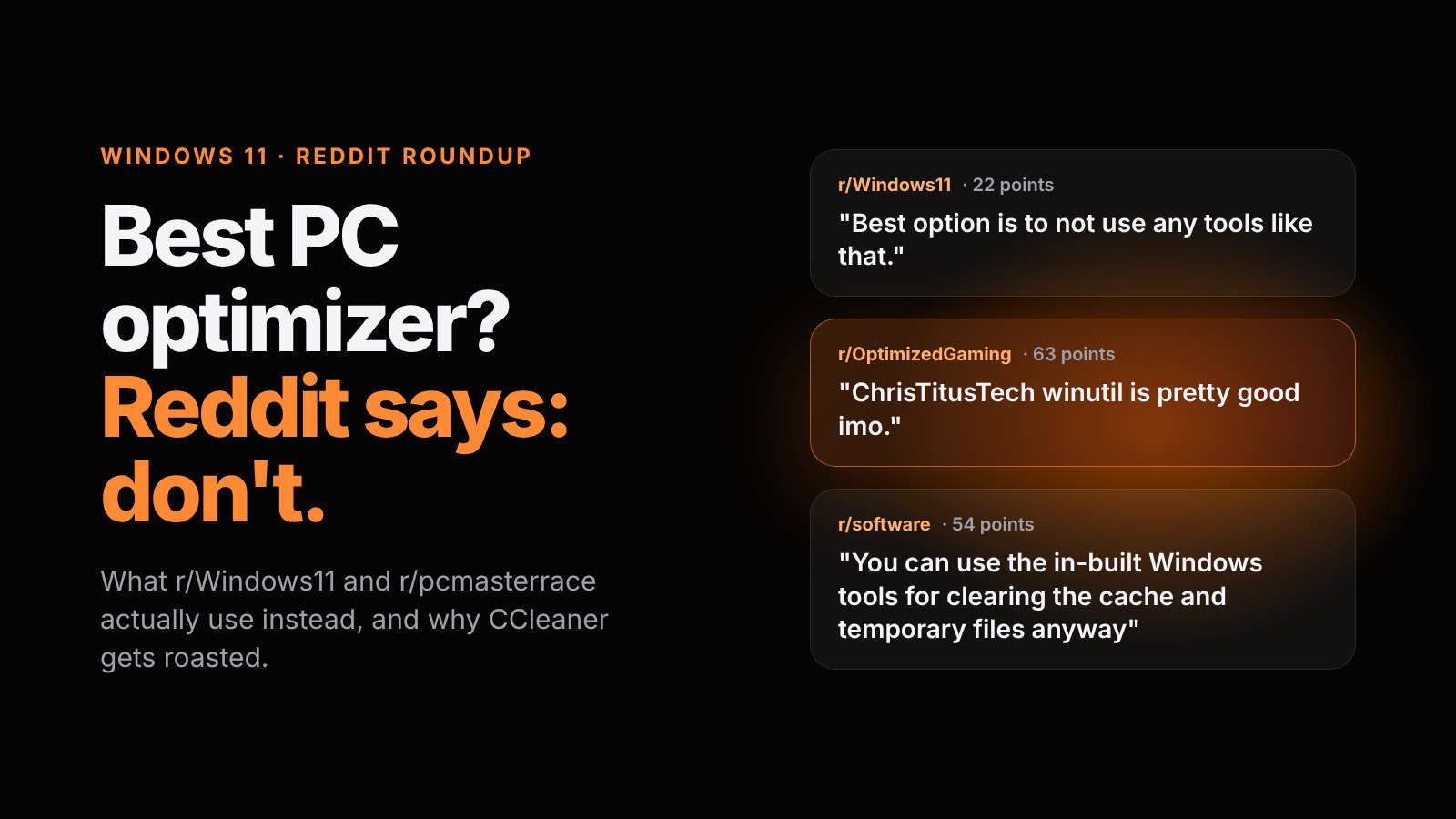
Ask Reddit for the best PC optimizer and the most upvoted answer is usually "don't use one." I went through threads in r/Windows11, r/pcmasterrace, r/software and r/OptimizedGaming, and the consensus is pretty consistent: most optimizer apps barely do anything and can break Windows, CCleaner is the app everyone loves to roast, and what people actually recommend is Windows' own tools plus a free community tool or two, mainly Chris Titus Tech's WinUtil.
Full disclosure before we go further: I built a Windows optimizer myself, FixKon. So I went into these threads expecting to get humbled. And I did, a little.
What is the best PC optimizer, according to Reddit?
Honestly? Nothing. That's the top answer way more often than any app name.
In an r/Windows11 thread asking for the best optimization tool, the highest voted reply says the best option is not using tools like that at all, because a tiny performance gain isn't worth a tool messing up your system. Over in r/pcmasterrace, a top reply says these tools "do nothing in the best cases and will kill your Windows installation in the worst ones."
The moderators of r/OptimizedGaming went further. They posted a warning against tweak and optimization tools, especially closed source ones, and said those tools get removed from the subreddit. Paid "PC optimization services" get it even worse: when someone asked about one in r/pcmasterrace, the replies were basically one word. Scams.
So on Reddit, the best PC optimizer is mostly a habit. Fix the real problem (too many startup apps, a full drive) instead of running an app that promises magic. One reply in that same services thread put it simply: the best way to optimize a computer is to swap the HDD for an SSD.
Why does Reddit hate CCleaner so much?
CCleaner shows up in almost every thread, and it's rarely a compliment. Three reasons keep coming up.
The 2017 hack. Official CCleaner downloads shipped with hidden malware between August 15 and September 12, 2017, signed with a valid certificate, per The Register. Cisco Talos found it, and Dark Reading reported about 2.27 million machines were affected.
The owner. Avast had just bought CCleaner's maker, Piriform, when that happened. Years later, the FTC ordered Avast to pay $16.5 million over charges that it sold people's browsing data through its subsidiary Jumpshot after claiming its products would block tracking. That case was about Avast's own software, not CCleaner. But on Reddit it all blends into one reputation.
The upsells. In r/computers, someone asked if they should pay because CCleaner kept saying their drivers were outdated. The replies: uninstall it, and stay away from the "driver updater" extras. And an r/software reply makes the bigger point well: registry cleaning mattered back when Windows was a mess, but today most apps uninstall cleanly and Windows 11 trims SSDs on its own.
What PC optimizer tools does Reddit actually recommend?
Here's what keeps getting upvoted across the threads I read.
| Tool | What Redditors use it for | Reddit's catch |
|---|---|---|
| Windows' own Task Manager, Settings and Storage Sense | Startup apps, temp files, uninstalling junk | You have to know where to click |
| Chris Titus Tech WinUtil | Debloating, tweaks, installing apps in bulk | Runs in PowerShell as admin |
| Win11Debloat (Raphire) | Stripping preinstalled apps and tracking | Script based, read what it changes |
| O&O ShutUp10++ | Privacy settings | Privacy, not speed |
| Autoruns (Microsoft Sysinternals) | Seeing every single startup item | Easy to disable something Windows needs |
| WinDirStat, TreeSize, SpaceSniffer | Finding what's eating your storage | They show you, you do the deleting |
| Microsoft PC Manager | Microsoft's own cleanup app | Reddit is split on it |
WinUtil is the clear favorite. In threads about debloating Windows 11 on r/pcmasterrace and r/Windows11, it's the name that comes up first and gets the most agreement, and even in that r/OptimizedGaming warning thread the top reply says WinUtil is pretty good. Win11Debloat gets linked as the runner up in that same r/pcmasterrace thread, and O&O ShutUp10 comes up for privacy tweaks in a September 2026 r/pcmasterrace thread.
Microsoft's own PC Manager is the funny one. In a 211 point r/Windows11 thread, the top replies split right down the middle: one says it looks like the speed up tools from 15 years ago, another loves having a built in storage viewer.
One adjacent thing nobody in these threads spells out: WinUtil's official command (irm christitus.com/win | iex) downloads and runs code as admin. That's fine from the official page, but it's also exactly how scams work, and there's an r/PowerShell thread from someone whose PC seller told them to paste a command into an admin PowerShell window. Only ever paste commands from the tool's own site.
How do you speed up Windows 11 without an optimizer app?
This is the part most threads assume you already know. Here's the Reddit approved, built in route, with Microsoft's own steps.
Turn off startup apps
- Right-click Start and select Task Manager.
- Open the Startup apps tab.
- Select an app you don't need at sign-in and click Disable.
Task Manager shows the startup impact of each app, so start with the High ones (Microsoft's guide).
Turn on Storage Sense
- Go to Start > Settings > System > Storage.
- Set Storage Sense to On.
- Select Storage Sense to choose how often it runs and when old Recycle Bin and Downloads files get deleted.
It cleans temp files on your C: drive automatically (Microsoft's guide).
Uninstall what you don't use
- Go to Start > Settings > Apps > Installed apps.
- Find the app, select More (the three dots) > Uninstall.
Some built in apps can't be removed there, and Microsoft's uninstall guide covers the Control Panel fallback. Also, skip the High performance power plan hype. A popular r/Windows11 debunking post points out that Balanced already ramps your CPU up when a game is running.
Can an AI copilot optimize your PC?
Not Microsoft's, at least according to Reddit. The vibe in r/Windows11 is summed up by a thread titled Copilot is literally just clippy, and when people share how Copilot actually helps them, it's stuff like summarizing documents. Nobody's using it as a tune up tool.
The newer idea is an AI that actually does things on your PC instead of just chatting. That's the part of my app I'm proudest of, ngl: hold Win+Alt, say something like "clean up my PC," and it sees your screen and does it, or walks you through it if you'd rather learn. That AI is on the paid Pro and Max plans; the cleanup tools themselves are free. And yes, everything Reddit says about optimizers applies to my app too, so judge it the same way.
So what's actually the best PC optimizer?
My take: Reddit is mostly right. If you're comfortable in Settings and Task Manager, the built in tools plus WinUtil cover most of what paid optimizers sell, for free.
Where Reddit's answer falls short is that it assumes everyone knows where Startup apps lives, or wants to paste PowerShell as admin. Most people don't. "Why is my PC so slow" is the most common question in my comments, which is the whole reason I built an app instead of just making another video about it.
So here's the bar I'd hold any optimizer to, mine included, and it's straight from these threads. Real numbers pulled from Windows, no fake scans with scary error counts. No driver updater upsells. Nothing you can't undo. If an app fails any of those, Reddit is right to roast it. If you want the easy route that clears that bar, FixKon is free to download.
What's in your setup right now: built ins only, WinUtil, or something else entirely? Lowkey curious what's actually working for people.
FAQ
What is the best free PC optimizer, according to Reddit?
Mostly Windows' own tools: Task Manager for startup apps, Storage Sense for temp files, and Settings for uninstalling. For debloating, Chris Titus Tech's WinUtil is the most recommended free tool, and WinDirStat or TreeSize help find big files.
Is CCleaner safe to use?
The 2017 malware incident hit specific versions downloaded between August 15 and September 12, 2017. Reddit's bigger complaints today are upsells like the driver updater and Avast's privacy history, and most threads say Windows' built in tools do the same cleanup.
Do PC optimizers actually make your PC faster?
Mostly no, according to Reddit. Real gains come from disabling startup apps, freeing up drive space and upgrading from a hard drive to an SSD.
Is Chris Titus WinUtil safe?
It's the most recommended debloat tool in the threads I read. It runs as admin, so only use the official command from christitus.com and read what each tweak does before applying it.
Can Copilot optimize Windows 11?
Reddit mostly treats Copilot as a chatbot, not a tune up tool. People use it for things like summarizing documents, not for cleaning or speeding up a PC.
I break this stuff down in quick videos on Instagram and YouTube, and the Discord is where people trade what's actually working on their PCs. Want your PC handled for you? Get FixKon here, and more posts live on the blog.